
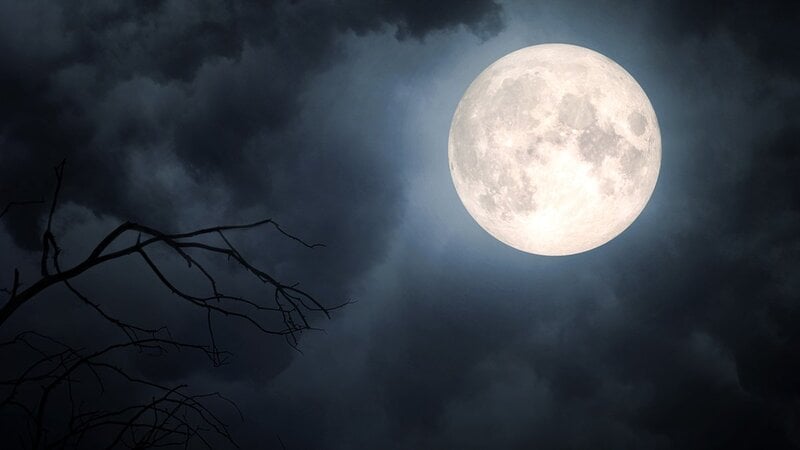
How many times have you been out in the evening, or even just looked out your window, and seen a magnificent moon in the sky? Full, colorful, and bright, a subject worthy of being included in your shot. So you pick up your phone, open the camera app, frame the moon, and notice that something's wrong.
The photo is blurry, out of focus, far from what you're seeing with your eyes. Know that it's not a problem with your smartphone, but a series of wrong settings that prevent you from fully capturing every nuance the moon has to offer.
If you want to photograph the moon with your smartphone professionally, you've come to the right place. In this guide, we'll reveal all the tricks and tips that can help you achieve a final shot worthy of the best photographers.
<sommaire|title=How to photograph the moon with your smartphone: the guide>
Which settings to activate
First, you should always pay attention to the active camera settings on your smartphone. The default settings are set to ensure that the sensors can work optimally for each subject in the frame. Whether it's a landscape, a person in the foreground, a dish, or anything else, the phone's default settings will produce optimal results.
However, if you decide to frame unusual elements, like the moon, you'll need to tweak some points. Only in this way will you be able to achieve an effect that truly comes close to what you're seeing with your own eyes. And in many cases, it can even exceed expectations.
ISO
First, you need to adjust the ISO, which is a setting that reduces digital noise. To do this, you need to activate Pro mode on your phone. You can usually find the appropriate button directly in the camera app on your iPhone or Android phone. Click it and you're done.
What value should you use? A low value is always recommended. If you set it between 100 and 400, the ISO will help you achieve your goal. Play around with the numbers until the moon is clearly visible and isolated.
Exposure time
Another key factor for a successful photo is the exposure time. It should be as fast as possible; experts recommend setting it around 1/100 or 1/200 of a second.
Why? Only then will you be sure to compensate for the brightness of the moon and ensure that the amount of light captured by the lens is less, just enough so as not to obscure the rest of the photo.
Focus
It's important to consider focus, which is the feature that highlights one subject when there are several in the frame.
From your phone's Pro mode, select manual focus and then set it to infinity. This way, there will be no alterations in focus and the moon will always remain the main subject clearly visible.
Zoom
Many people think that activating the maximum zoom until the moon fills the entire phone screen is the best choice. Nothing could be more wrong; if you do this, you risk losing sharpness. Especially since we're talking about digital zoom.
Instead, you can consider cropping the image in post-production. This way, you won't lose quality in the shot and the moon will be in the foreground of the photo.
Some practical tips for taking the perfect photo
Besides changing your camera settings, there are other things to consider when you decide to take a shot of the moon with your smartphone.
First, using a tripod is essential for many, especially when using the zoom. This is because even the slightest hand shake can cause a blurry photo. Experts suggest setting a delay timer of 2 or 5 seconds to prevent tapping your finger on the screen from vibrating your smartphone. If you have one, a Bluetooth remote control can also be useful.
If you decide to shoot in automatic mode, aim at the moon and then long tap on it to lock the exposure and focus. Then drag the brightness slider, with the sun icon, all the way down until dark spots and craters appear on the moon's surface.
Remember that for optimal results, it's best to be in a place with little light pollution. Avoid large cities or nearby street lamps; it's better to position yourself in a dark place.
Finally, know that this shot also requires waiting for the right moment. If you want the moon to appear larger than the landscape, photograph it when it's close to the horizon. In addition to the full moon, wait for the gibbous or quarter moon phases, as the side light creates shadows that highlight the details of the craters.
The best apps for taking photos of the moon
Let's see what the 3 best apps are for taking photos of the moon. If tapping on your camera settings isn't enough, or you're looking for even more manual control, these software programs may be for you.
They're all available on both Android smartphones and iPhones. Simply download them from the dedicated store and launch them to frame the moon and achieve the final effect you've been craving.
Adobe Lightroom
The first app to try right away is Adobe Lightroom Mobile. Originally designed as post-editing software, it actually features a powerful built-in professional camera that unlocks manual controls on both Android and iOS.
A great advantage is the ability to shoot photos in RAW format, which has become essential for ensuring crater details remain, without the phone's algorithm smearing them.
In Pro mode, you can manually set low ISO between 100 and 400, fast shutter speeds between 1/100s and 1/200s, adjust the focus to infinity, and much more.
PhotoPills
PhotoPills is considered by many to be the go-to app for night photography enthusiasts. Available for a fee on both stores, costing €10.99 on the Play Store and €12.99 on the App Store, it offers a wide range of tools and useful tips for taking the moon photos you've been dreaming of.
First, you'll find a dedicated page with precise information on the exact time the moon will rise and its precise position in the sky relative to your location.
In addition to the classic settings editing features discussed in previous chapters, thanks to Augmented Reality you can frame a building or passageway and see exactly where the moon will pass. This can be very useful for figuring out where to position your tripod in the perfect spot.
My Moon Phase
The third and final smartphone app we recommend is My Moon Phase. This isn't software that helps you take photos, but rather a powerful ally that helps you monitor the lunar cycle.
It includes a detailed calendar of the lunar phases, the moon's altitude, and the two times of day: Golden Hour and Blue Hour. These two times are best for photographing the moon before the sky is completely dark.
You can even activate custom notifications, which will alert you whenever an eclipse or supermoon is about to occur.
Original article published on Money.it Italy. Original title: Come fotografare la Luna con lo smartphone? App e trucchi utili