
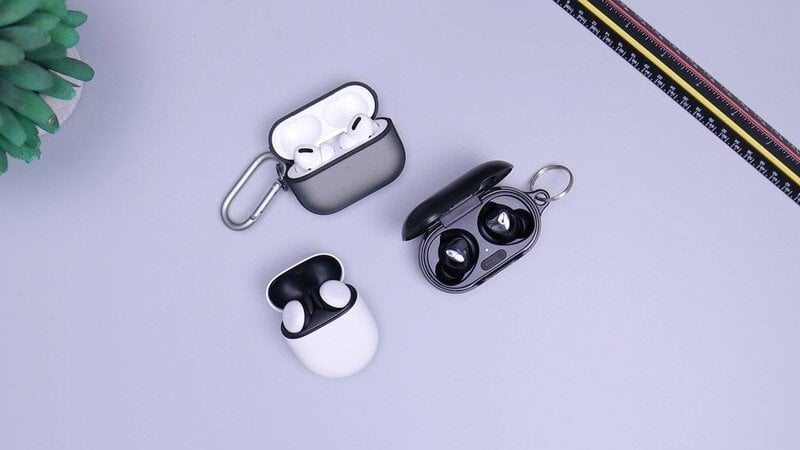
Bluetooth headphones are now the standard choice for most users around the world. The audio quality is excellent, the batteries last all day, and you can enjoy unprecedented convenience.
Simply connect them to another device such as a smartphone, tablet, or TV, start playing, and enjoy high-quality wireless audio. This is especially true with the latest models, which offer extra features like isolation and spatial audio.
Have you bought your first pair of Bluetooth headphones and don't know how to set them up? Or have you changed brands? In this guide, we'll explain step-by-step what to do to set them up.
<sommaire|title=How to connect Bluetooth headphones to a phone, tablet, and TV>
How to pair Bluetooth headphones
A fundamental first step is pairing, that is, pairing the Bluetooth headphones before searching for them on the device you want to connect them to.
Simply put, pairing makes the headphones visible and you can begin the actual connection.
Getting started depends a lot on the type of earphones you have.
With the standard procedure, you usually have to hold down the Power button for 5-7 seconds until the LED starts flashing.
If you have a pair of AirPods, you instead need to insert the earphones into the case, leave it open, and then hold down the button on the back until the LED starts flashing white.
For a pair of Sony headphones, however, without turning them on, you need to press the Power button for 7 seconds until you hear the Bluetooth Pairing voice prompt.
Finally, for cheap TWS models, you often just need to remove them from the charging case to activate automatic pairing.
How to Connect Bluetooth Headphones to Your Phone
Once pairing is complete, you're finally ready to connect your Bluetooth headphones to an external device. Let's start with your phone, which is the one you'll likely use most often to listen to music, watch videos, or play podcasts and audiobooks.
If you have an Android phone, to activate the connection, simply go to Settings, scroll to Connected Devices, and then tap Pair New Device. From the list, tap the name of your headphones and wait for them to connect.
From an iPhone, simply open the Settings app and then open Bluetooth. After activating the switch, tap the name of the headphones in the list that appears and wait for the Connected word to appear.
The procedure is standard and remains the same for any type of Bluetooth headphones you have.
How to connect Bluetooth headphones to a tablet
Even if you have a tablet and want to connect Bluetooth headphones to it, the steps are quite simple and remain the same for any model of headphones.
For an Android tablet, after unlocking it, you need to access the Bluetooth menu by long-pressing the Bluetooth icon from the notification panel. Once there, tap Pair new device, tap the name of the headphones, and wait for the connection to complete.
If you have an iPad, the steps are the same as for the iPhone. Unlock your Apple tablet, open the Settings app, go to Bluetooth, and then tap the name of the headphones from the list.
How to Connect Bluetooth Headphones to a TV
You might also consider connecting your Bluetooth headphones to your Smart TV, perhaps because you want to better enjoy the sound of a movie, or because you don't want to disturb other people in the room.
First, make sure your TV has Bluetooth built-in. You can check the original box or open Settings and check for Bluetooth.
At this point, you're ready to set up. The steps are similar, but vary slightly depending on the TV brand.
With a Samsung, press the Home button on the remote, go to Settings > Sound > Audio Output, and then tap Bluetooth speaker list. Here, you can find the name of the headphones, tap them, and complete the connection.
With a Sony, which usually has Android TV or Google TV, you need to press the gear button on the remote and then tap Remote & Accessories. Here you'll find the Pair Accessory option; tap it and then tap the name of the headphones.
From LG, open the settings menu, then click All Settings > Sound > Audio Output > Bluetooth. You'll be able to search for your headphones and complete the connection.
Original article published on Money.it Italy. Original title: Come collegare cuffie bluetooth a telefono, tablet e TV